Run all of your team's work from one base
Bring customers, projects, stock and processes together. See them as a grid, Kanban or calendar, automate repetitive work and ask the AI assistant in plain words.
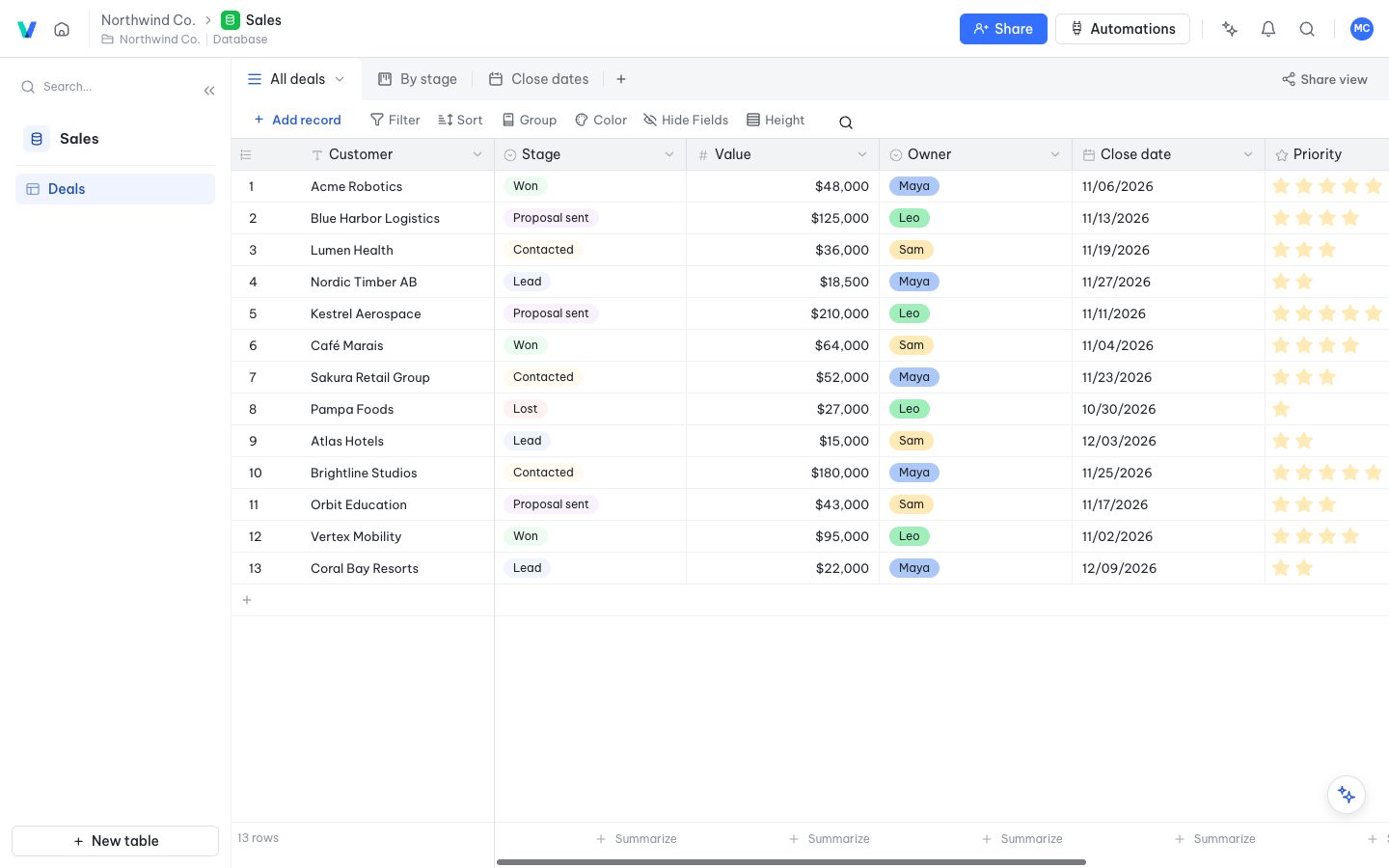
One dataset, many views
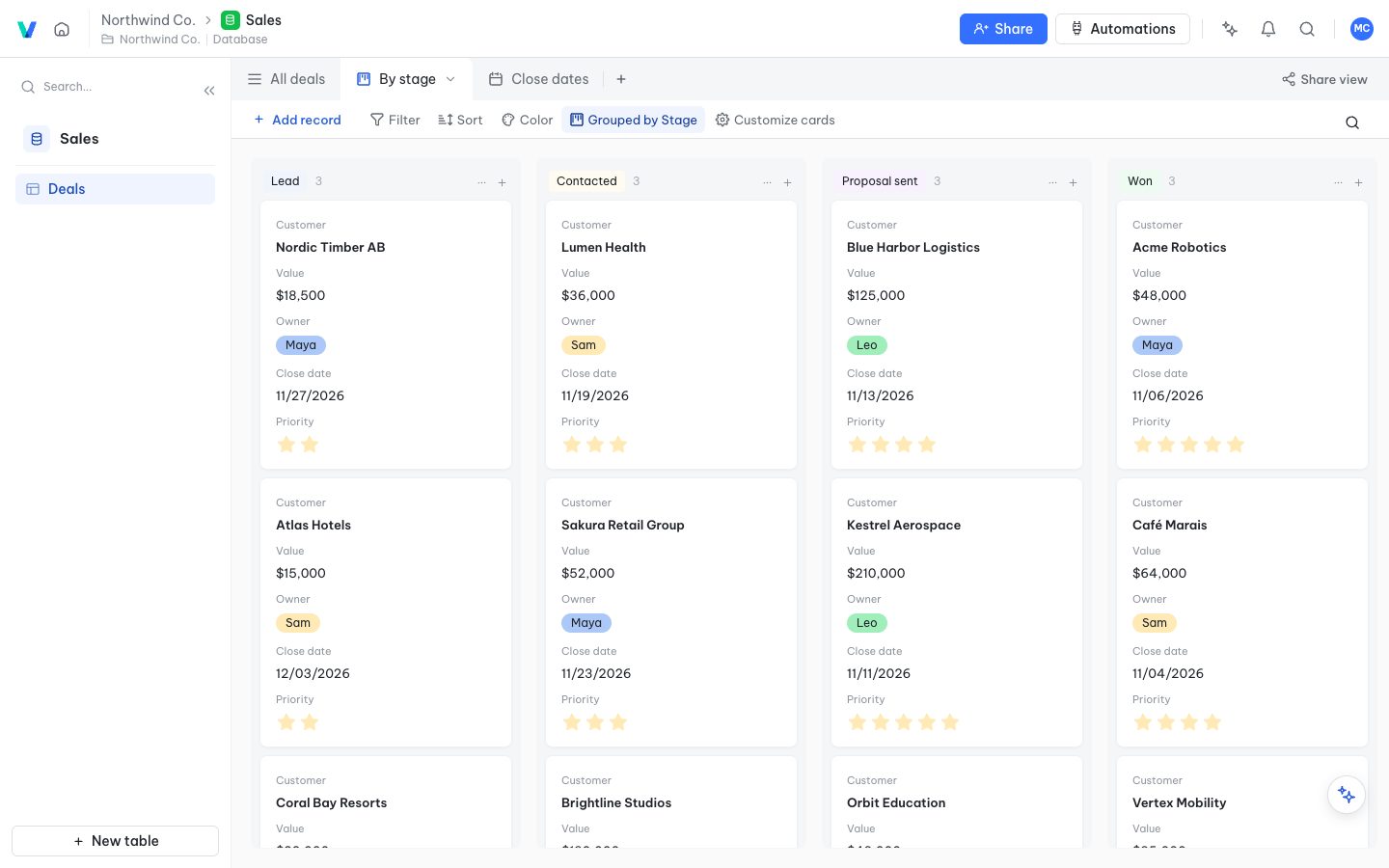
Switch between grid, Kanban, gallery, form and Gantt in one click. Everyone can have personal views without affecting the others.
- Drag cards to change their stage
- Filter, sort, group and color by conditions
- More than 20 field types: files, links, formulas, lookups…
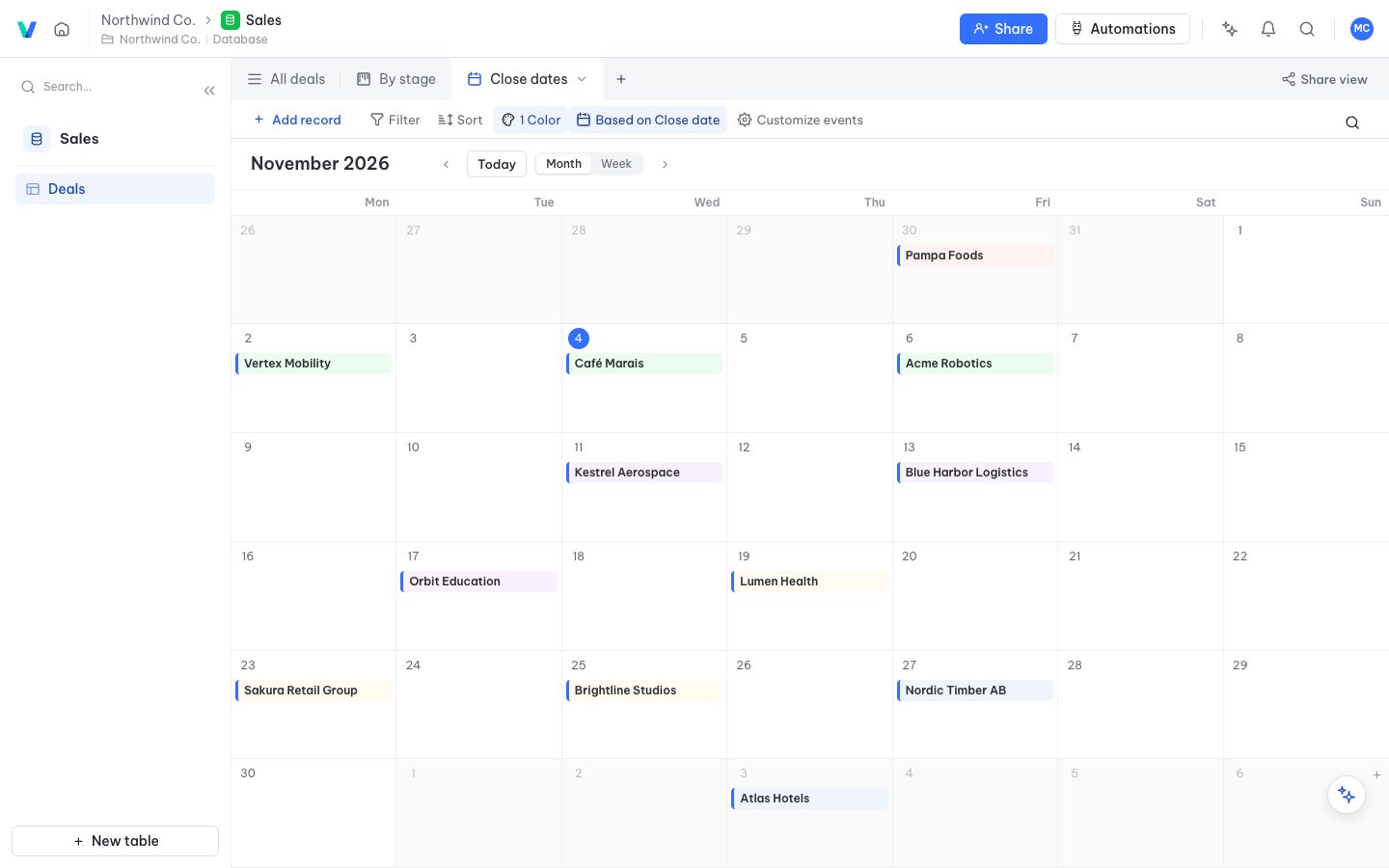
Clear calendars and timelines
Put dated records on a calendar to see the deadlines, meetings and deliveries of the whole team.
- Drag to reschedule
- Month and week views
- Share a calendar publicly with a link
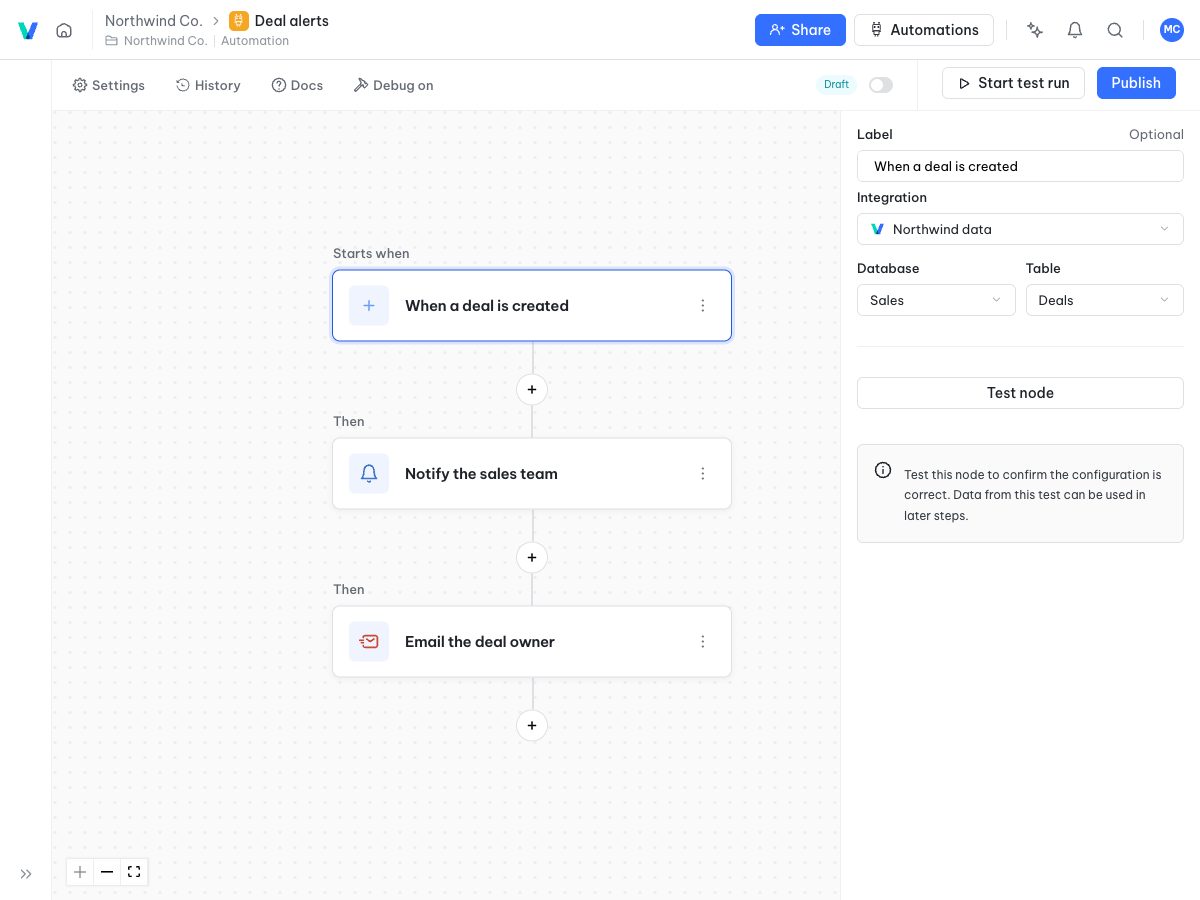
Automate repetitive work
When a record is created or a field changes, send notifications, update data or call webhooks automatically. No code needed.
- Trigger on events or on a schedule
- Send emails, call HTTP, create or update records
- See the run history of every flow
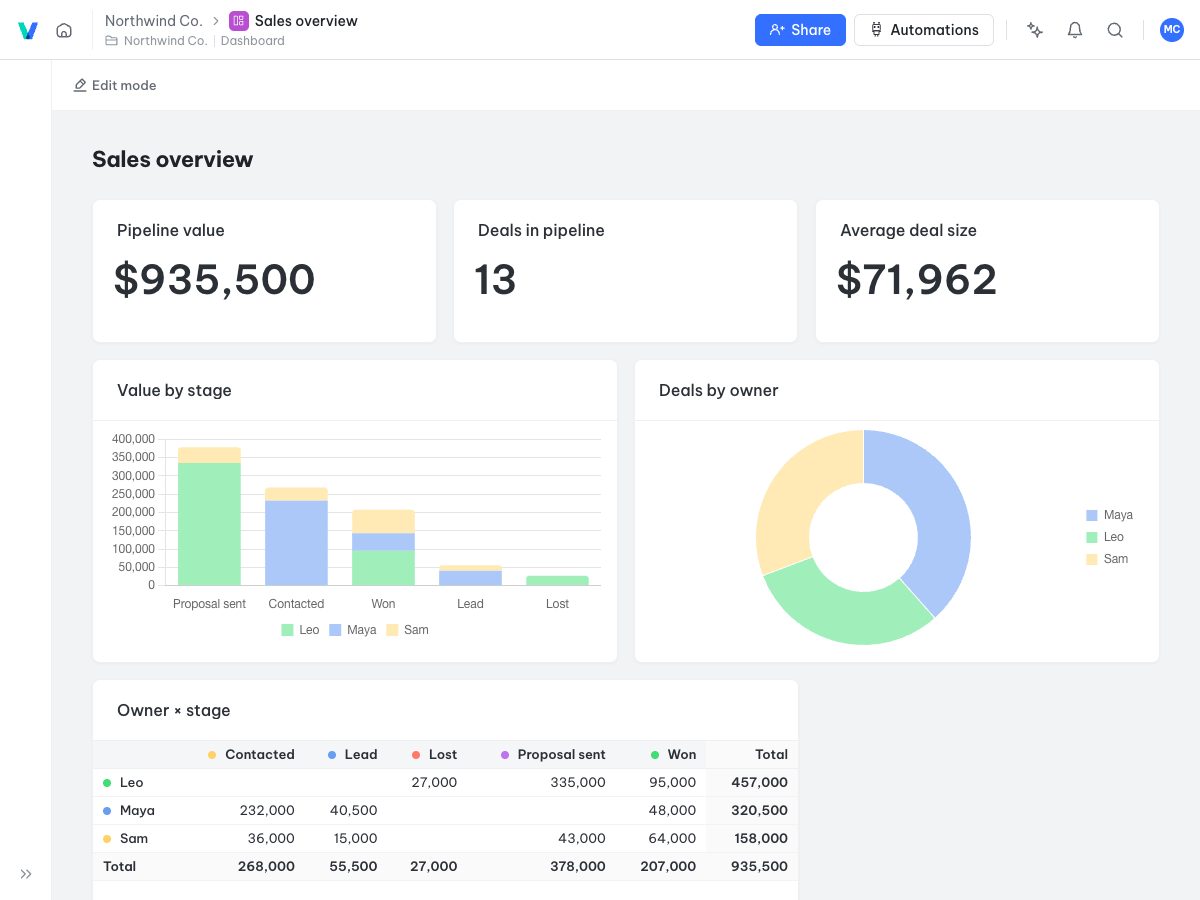
Real-time dashboards
Turn your data into charts and summaries. Dashboards update as the team enters data.
- Bar, line and pie charts and number cards
- Filters per widget
- Shared with the whole workspace
Everything your team needs to collaborate
AI assistant
Ask the AI to create tables, add data, filter and summarize in plain words.
Fine-grained permissions
Limit viewing and editing down to each table and field for each member.
Comments and mentions
Discuss right on the record, mention teammates and follow the history of changes.
Real-time collaboration
Every change shows up for the whole team instantly, no reload needed.
API and webhooks
Generated API docs for every base make connecting your systems easy.
Apps and forms
Build internal tools, customer portals and forms on top of your tables.
Made for every department
Start from a blank table or a template, then adapt it to how your team works.
Sales and CRM
Track leads, deals and revenue by stage.
Project management
Assign tasks, set deadlines and follow progress with Kanban and Gantt.
People
Manage employee records, hiring, leave and reviews.
Stock and orders
Know your stock, movements and the status of every order.
Marketing
Plan content, manage campaigns and measure results.
Operations
Standardize processes, approvals and automatic reminders.
Frequently asked questions
Do I need to know how to code?
No. You build tables, views and automations with a visual interface, or let the AI assistant do it for you.
Can I import my data from Excel?
Yes. Import Excel, CSV or JSON files to create a new table, or paste data straight into a table.
Where is my data stored?
Your data is stored on the servers of the instance you use. Companies can self-host it on their own infrastructure.
Can I connect other software?
Yes. Every base has a REST API, webhooks and generated API docs to connect other systems.
How do I get started?
Create an account, pick a template or a blank table, then invite your teammates to the workspace.